
How to remove silence and long pauses from a video on a Mac
A pause while you think, find the next slide or wait for a page to load is natural when you are recording. It is a lot less natural to watch. Shortening the long ones tightens a video without changing what you say.
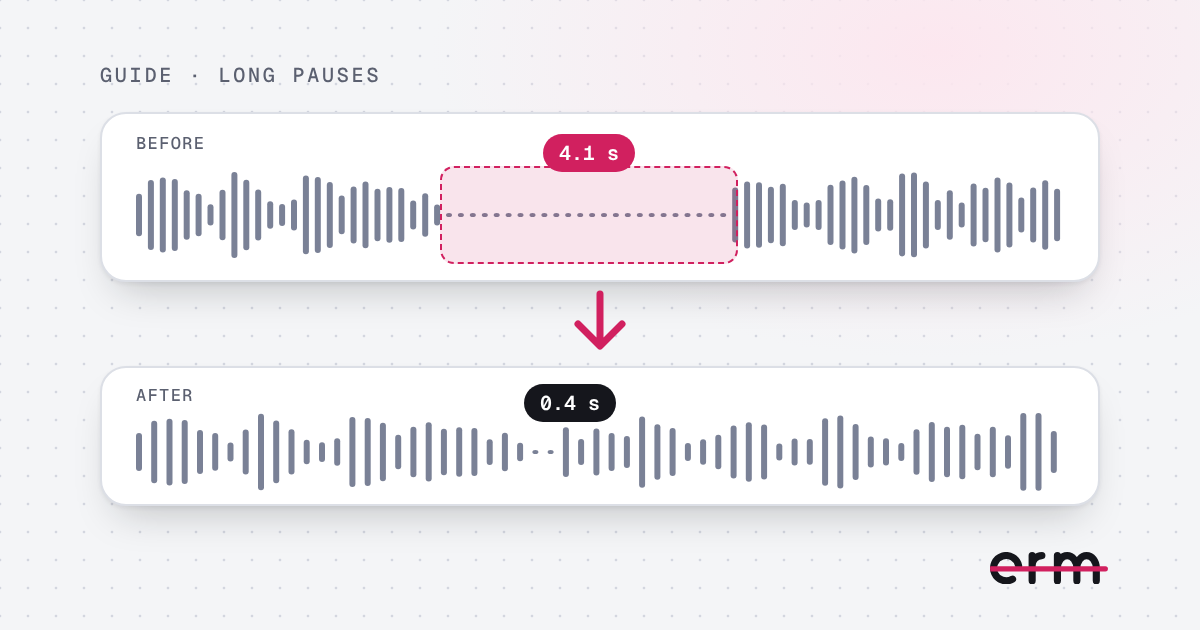
Cut the long pauses, not all of them
If you remove every gap, speech runs together and the video feels breathless. The aim is to take a long silence down to a short, natural breath. Short pauses between sentences should stay.
By hand in an editor
- Look at the audio waveform on the timeline. Silences show as flat stretches.
- Split the clip at the start and end of each long gap.
- Delete the middle, or leave a short piece so a breath remains.
- Play each join to check it does not sound clipped.
It works, but it is slow, and the room tone often changes abruptly where you cut.
Automatically with erm
- Drop your video into erm.
- It marks every pause that runs too long, along with any ums and erms.
- Long silences are shortened to a natural breath, with a soft join and your room’s own sound, so the edit is hard to hear.
- Review each cut, keep any pause you want, then save the video.
Everything happens on your Mac, and the video is never uploaded.
Pauses worth keeping
- The beat before an important point, which lets it land.
- A pause after a question you want the viewer to think about.
- The gap between two separate ideas.
If the pauses come from recording a screen while you work, see screen recordings and product demos. For the sounds that fill them, read how to remove filler words from a video.
Questions
How do I remove silence from a video on a Mac?
Cut each silent stretch by hand in a video editor, or use erm, which finds the long pauses for you, shortens them to a natural breath and lets you review each one.
Will shortening pauses make my video sound unnatural?
Not if the pauses are shortened rather than deleted. erm leaves a short breath with a soft join, and you can keep any pause you like.
Does erm remove background noise?
No. It cuts ums, erms and long pauses, and can level the sound of the finished video. It is not a noise remover.
erm is coming soon to the Mac App Store. First 3 videos free, then $29.99 once or $19.99 a year.