
How to remove ums in Final Cut Pro
At the time of writing, Final Cut Pro has no tool that finds ums and removes them for you. You blade and delete each one on the timeline. Here are the steps, and a quicker route for talking-head video.
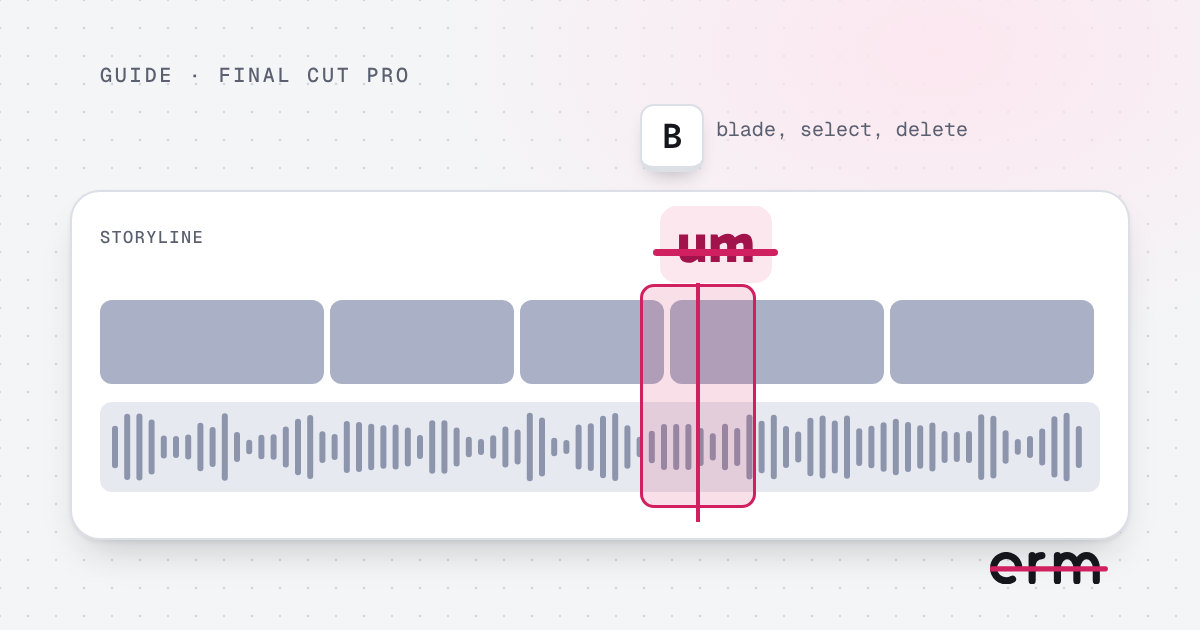
Remove an um by hand in Final Cut Pro
- Add your video to the timeline and play it, or skim along it.
- Park the playhead just before the um and press Command-B to split the clip.
- Move to just after the um and press Command-B again.
- Select the small clip between the cuts and press Delete. In the main storyline the gap closes.
- Play across the cut and nudge it if the sound is clipped.
Switching on the audio waveforms (in the Clip Appearance controls) makes the ums easier to see. The blade tool works too: press B, click each cut point, then press A to go back to the Select tool.
Why people look for a shortcut
Final Cut Pro is a full editor, and clearing ums is a repetitive job inside it. A ten-minute talk can have dozens of cuts to place and listen to, and every one is another chance to leave a clipped join.
Clear them first with erm
- Drop your video into erm before you import it.
- Every um, erm, uh and long pause is marked. Review the cuts, keep any you want, and save the edit.
- Import the saved file into Final Cut Pro and carry on with colour, titles, B-roll and music.
This is a single-purpose tool. It does not trim, caption or add music, so it complements your editor rather than replacing it. Everything happens on your Mac and nothing is uploaded.
Using a different editor? See how to remove ums in iMovie or the general Mac guide.
Questions
Can Final Cut Pro remove ums automatically?
At the time of writing it has no tool that finds and removes ums, so you cut each one by hand with the blade. Check the current version’s feature list if you want to be sure.
Does erm replace Final Cut Pro?
No. erm only cuts ums, erms and long pauses. Use it to clean the video first, then edit in Final Cut Pro as normal.
Which file formats can I move between them?
erm opens and saves .mov, .mp4 and .m4v, and Final Cut Pro imports all three.
erm is coming soon to the Mac App Store. First 3 videos free, then $29.99 once or $19.99 a year.